If you’ve been following this series, you already know how to build CDS views, layer your architecture, optimize performance, and lock down access with DCL. Now it’s time to tackle one of the most powerful—and most misunderstood—features of ABAP CDS: associations, joins, and navigation properties. Getting these right is the difference between a data model that scales elegantly and one that quietly kills your system under load.
In my experience mentoring SAP architects, this is the topic where most developers hit a wall. They understand joins from classic SQL, they’ve written SELECT statements with FOR ALL ENTRIES since the ECC days, and suddenly CDS associations feel abstract and counter-intuitive. By the end of this article, you’ll not only understand the mechanics—you’ll know when to use each approach and why it matters architecturally.
Why Associations Are Not Just “Fancy Joins”
Let me start with the mindset shift. In classic ABAP, if you needed data from two tables, you joined them. Period. In CDS, you have a richer toolbox, and choosing the wrong tool has real consequences.
Here’s the key insight: an association in CDS is a lazy join. It defines a relationship between entities without executing a join unless the consumer explicitly navigates that path. This is fundamentally different from an inner join or left outer join defined directly in your CDS view—those execute every time, regardless of whether the consumer needs that data.
This distinction has enormous implications for performance, reusability, and API design. An association declares intent; a join declares execution. Keep that in mind as we go deeper.
Understanding the Three Join Types in CDS
Inner Join
An inner join in CDS works exactly as you’d expect—only records with matching entries in both entities are returned. Use it when the relationship is mandatory and you always need data from both sides.
@AbapCatalog.sqlViewName: 'ZV_SALES_ORDER_H'
@AbapCatalog.compiler.compareFilter: true
@AccessControl.authorizationCheck: #CHECK
@EndUserText.label: 'Sales Order with Customer Data'
define view Z_CDS_SalesOrderWithCustomer
  as select from vbak as so
  inner join kna1 as cust
    on so.kunnr = cust.kunnr
{
  so.vbeln          as SalesOrder,
  so.erdat          as CreationDate,
  so.kunnr          as CustomerID,
  cust.name1        as CustomerName,
  cust.land1        as Country
}
When to use it: The customer must exist for the order to be meaningful. If you’re building a Fiori list report where an orphaned order record is a data quality problem, inner join is appropriate.
When NOT to use it: Don’t reach for inner join by default just because you need related data. If some records legitimately have no match on the right side, you’ll silently lose data—a bug that’s surprisingly hard to catch in testing.
Left Outer Join
A left outer join returns all records from the left entity and matching records from the right—nulls where there’s no match. This is the safer default when the relationship is optional.
define view Z_CDS_OrderWithOptionalCredit
  as select from vbak as so
  left outer join knkk as credit
    on so.kunnr = credit.kunnr
    and credit.kkber = 'CC01'
{
  so.vbeln               as SalesOrder,
  so.kunnr               as CustomerID,
  credit.klimk           as CreditLimit,
  credit.skfor           as OpenItems
}
Important pitfall: When using left outer join with a filter condition on the right-side table, move that condition into the ON clause—not the WHERE clause. A WHERE condition on the right-side table effectively converts your left outer join into an inner join. I’ve seen this mistake in production code more times than I’d like to admit.
Cross Join
Cross joins produce a Cartesian product. In CDS, they’re rarely what you want for transactional data, but they have legitimate uses in configuration-driven scenarios—for example, generating all combinations of cost centers and fiscal periods for a planning matrix. Use with extreme caution and always with an explicit WHERE clause to filter the result set.
Associations: The Power of Deferred Execution
Now let’s get into associations—the feature that separates mature CDS data models from naive ones.
Defining an Association
@AbapCatalog.sqlViewName: 'ZV_SALES_ORDER_A'
@AccessControl.authorizationCheck: #CHECK
@EndUserText.label: 'Sales Order with Associations'
define view Z_CDS_SalesOrderAssoc
  as select from vbak as so
  -- Define the association — no join executed yet
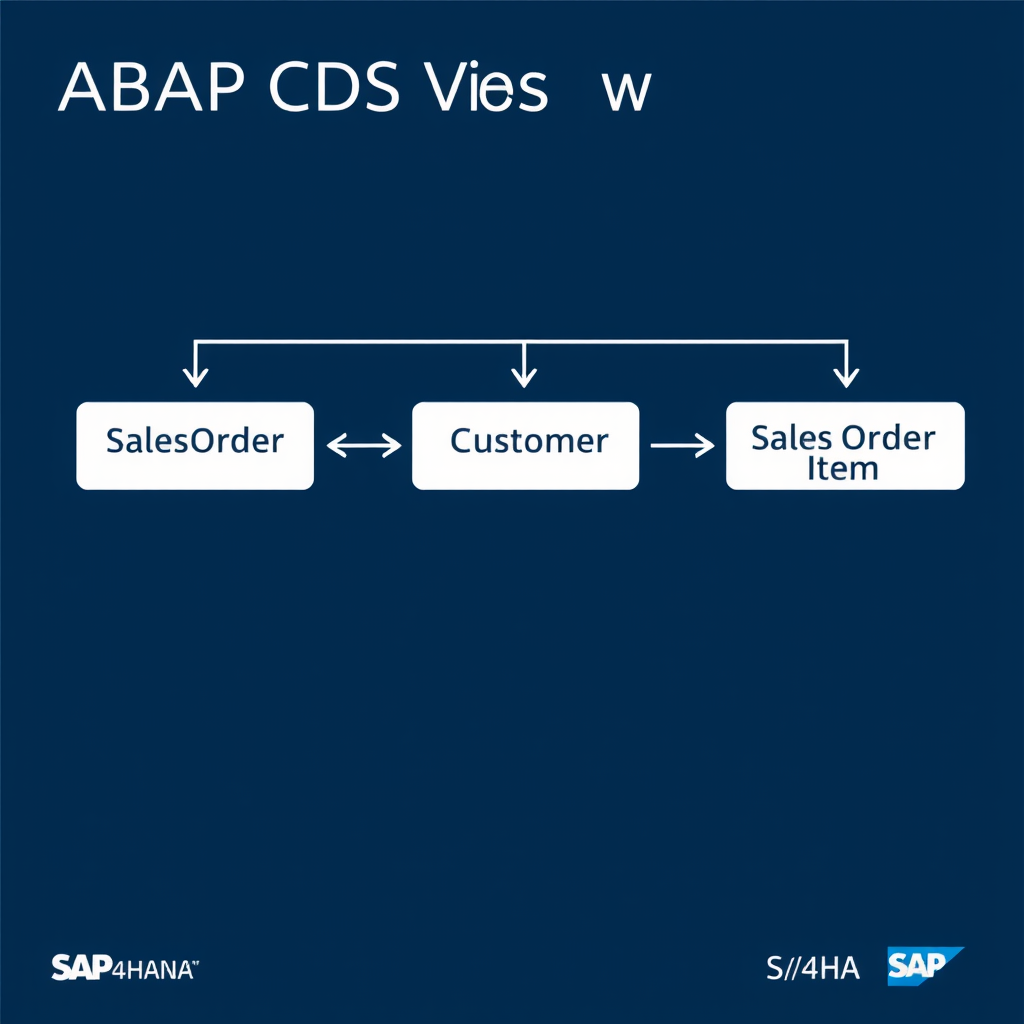
  association [0..1] to Z_CDS_CustomerBasic as _Customer
    on $projection.CustomerID = _Customer.CustomerID

  association [0..*] to Z_CDS_SalesOrderItem as _Items
    on $projection.SalesOrder = _Items.SalesOrder
{
  so.vbeln     as SalesOrder,
  so.erdat     as CreationDate,
  so.kunnr     as CustomerID,
  so.netwr     as NetValue,

  -- Expose associations for navigation
  _Customer,
  _Items
}
The cardinality annotations [0..1] and [0..*] are not just documentation—they inform the query optimizer about the expected relationship. Use them accurately:
[1..1]: Exactly one matching record (always exists)[0..1]: Zero or one (optional, like a header-level extension table)[0..*]: Zero or many (one-to-many relationship)[1..*]: One or many (at least one item always exists)
How Associations Are Consumed
This is where it gets interesting. An association only generates a join when the consumer references it. In OData services (which is the primary consumer in S/4HANA Fiori scenarios), this translates directly into $expand navigation.
" In another CDS view, you can path-traverse the association:
define view Z_CDS_OrderSummary
  as select from Z_CDS_SalesOrderAssoc as so
{
  so.SalesOrder,
  so.NetValue,
  -- This triggers the join to _Customer only here
  so._Customer.CustomerName,
  so._Customer.Country
}
When consumed via OData with $expand=_Items, only the items join fires. The customer join doesn’t execute. This is the performance benefit that makes associations architecturally superior to eagerly joining everything upfront.
Associations vs. Joins: The Architectural Decision
Here’s the decision framework I use with my teams:
| Criterion | Use a Join | Use an Association |
|---|---|---|
| Data always needed together | ✅ Yes | ❌ Overhead |
| Data sometimes needed | ❌ Wasteful | ✅ Yes |
| OData / Fiori consumption | Limited flexibility | ✅ $expand support |
| One-to-many relationship | ⚠️ Causes row duplication | ✅ Safe |
| Reusability across views | Must redefine each time | ✅ Inherited by child views |
| Aggregation in the same view | ✅ Works naturally | ⚠️ Complex with GROUP BY |
The one-to-many row duplication issue with joins deserves a special mention. I’ve seen developers join VBAK to VBAP (order header to items) in a single CDS view and then scratch their heads when aggregated net values come out wrong—because the header-level NETWR gets repeated for every item row. Associations sidestep this entirely.
Navigation Properties in OData Context
When your CDS view is exposed as an OData service—whether through the classic Gateway or the newer RAP-based approach—associations become navigation properties. This is where the design choices you made in CDS pay dividends.
A well-designed association in your CDS view maps cleanly to a navigation property in your OData metadata document, enabling Fiori elements to automatically render related entity sets, enable drill-down navigation, and support intelligent list binding.
" Example OData URL leveraging navigation properties:
GET /sap/opu/odata/sap/Z_SALES_ORDER_SRV/SalesOrderSet('0000001234')/_Items

" With $expand:
GET /sap/opu/odata/sap/Z_SALES_ORDER_SRV/SalesOrderSet?$expand=_Customer,_Items
If you want to go deeper on building complete Fiori applications on top of CDS views using RAP, I covered the full lifecycle in the article ABAP RAP — A Senior Architect’s Guide to Building Modern Fiori Apps. The CDS associations you define here feed directly into the RAP behavior model.
Common Mistakes and How to Avoid Them
Mistake 1: Not Exposing Associations
Defining an association but forgetting to expose it in the field list means consumers can’t navigate it. Always include _AssociationName in the SELECT list—it’s a zero-cost operation that doesn’t affect the SQL generated for the view itself.
Mistake 2: Incorrect ON Condition Using Table Field Instead of Projection Field
Use $projection.FieldName in association ON conditions when the field name in the projection differs from the underlying table field. This keeps the association stable even when you rename fields in the SELECT list.
Mistake 3: Joining Text Tables Without Language Filtering
" Wrong — returns one row per language
left outer join t005t as country_text
  on so.land1 = country_text.land1

" Correct — filter by session language
left outer join t005t as country_text
  on  so.land1 = country_text.land1
  and country_text.spras = $session.system_language
Forgetting the language key in text table joins is one of the most common sources of data duplication in CDS views. Always add the language filter in the ON clause.
Mistake 4: Over-Associating Everything
Associations are powerful, but don’t model your entire data universe as a single CDS view with twenty associations. Follow the layered architecture principle—keep interface views lean, and let consumption views compose what’s needed for a specific use case. I covered this layering approach in depth in CDS Views Series Part 2: Architectural Layers.
Performance Considerations for Associations
Associations are lazy, but they’re not free. Once a join is triggered by a consumer, the same HANA query optimization rules apply. A few things to keep in mind:
- Index coverage: The fields in your association’s ON condition should be indexed on the target table. HANA is fast, but a full table scan on a hundred-million-row table is still painful.
- Cardinality hints: Accurate cardinality annotations help the query optimizer choose the right join strategy. Inaccurate cardinality (e.g., marking a [0..*] as [0..1]) can lead to suboptimal execution plans.
- Avoid chaining more than 3-4 associations in a single navigation path. Each hop is a potential join in the generated SQL. Deep navigation paths in $expand requests can generate surprisingly complex queries.
For a broader discussion of ABAP and HANA performance patterns, the article on SAP ABAP Performance Optimization covers the diagnostic tools and techniques you’ll need when something goes wrong.
Putting It All Together: A Complete Example
Here’s a realistic, production-oriented CDS view combining joins where appropriate with associations for optional and one-to-many relationships:
@AbapCatalog.sqlViewName: 'ZV_SALESORD_FULL'
@AbapCatalog.compiler.compareFilter: true
@AccessControl.authorizationCheck: #CHECK
@EndUserText.label: 'Sales Order Full Interface View'
@Metadata.ignorePropagatedAnnotations: true
define view Z_I_SalesOrderFull
  as select from vbak as header

  " Join — we always need org data with the header
  inner join tvkot as salesorgtext
    on  header.vkorg   = salesorgtext.vkorg
    and salesorgtext.spras = $session.system_language

  " Association — customer data not always needed
  association [0..1] to Z_I_CustomerBasic as _Customer
    on $projection.CustomerID = _Customer.CustomerID

  " Association — items are one-to-many, never join here
  association [0..*] to Z_I_SalesOrderItem as _Items
    on $projection.SalesOrder = _Items.SalesOrder

  " Association — delivery status optional
  association [0..1] to Z_I_OrderDeliveryStatus as _Delivery
    on $projection.SalesOrder = _Delivery.SalesOrder
{
  key header.vbeln          as SalesOrder,
      header.erdat          as CreationDate,
      header.kunnr          as CustomerID,
      header.vkorg          as SalesOrg,
      salesorgtext.vtext    as SalesOrgDescription,
      header.netwr          as NetValue,
      header.waerk          as Currency,

  " Expose all associations for consumers
  _Customer,
  _Items,
  _Delivery
}
This pattern—joining what’s mandatory, associating what’s optional—is the hallmark of a mature CDS data model. It’s clean, performant, and gives consumers exactly the flexibility they need without paying for data they don’t use.
Key Takeaways
- Associations are lazy joins—they only execute when a consumer navigates them. This is a feature, not a limitation.
- Use inner joins for mandatory relationships where data is always needed together.
- Use left outer joins for optional relationships—but be careful with WHERE conditions on the right-side table.
- Always filter text table joins by language key in the ON clause.
- Expose associations in the SELECT list—it costs nothing and unlocks OData navigation.
- Accurate cardinality annotations matter for query optimization.
- For one-to-many relationships, always use associations—never joins—to avoid row duplication.
What’s Next in the Series
In Part 6, we’ll explore CDS view extensions, custom fields, and the in-app extensibility framework—how to let customers extend your CDS-based data models without modifying the original objects. It’s a critical topic for anyone building partner or product-grade solutions on S/4HANA.
If you missed any earlier parts of this series, the performance optimization techniques in CDS Views Part 3: Performance Optimization and the access control patterns in CDS Views Part 4: Advanced Annotations, Access Control, and DCL are essential reading before building production-grade views.
Found this useful? Drop a comment below with the most confusing CDS association scenario you’ve encountered in a real project—I read every one, and the best questions often become future articles. If you’re working through a specific architectural challenge with CDS in your S/4HANA landscape, share it and let’s work through it together.