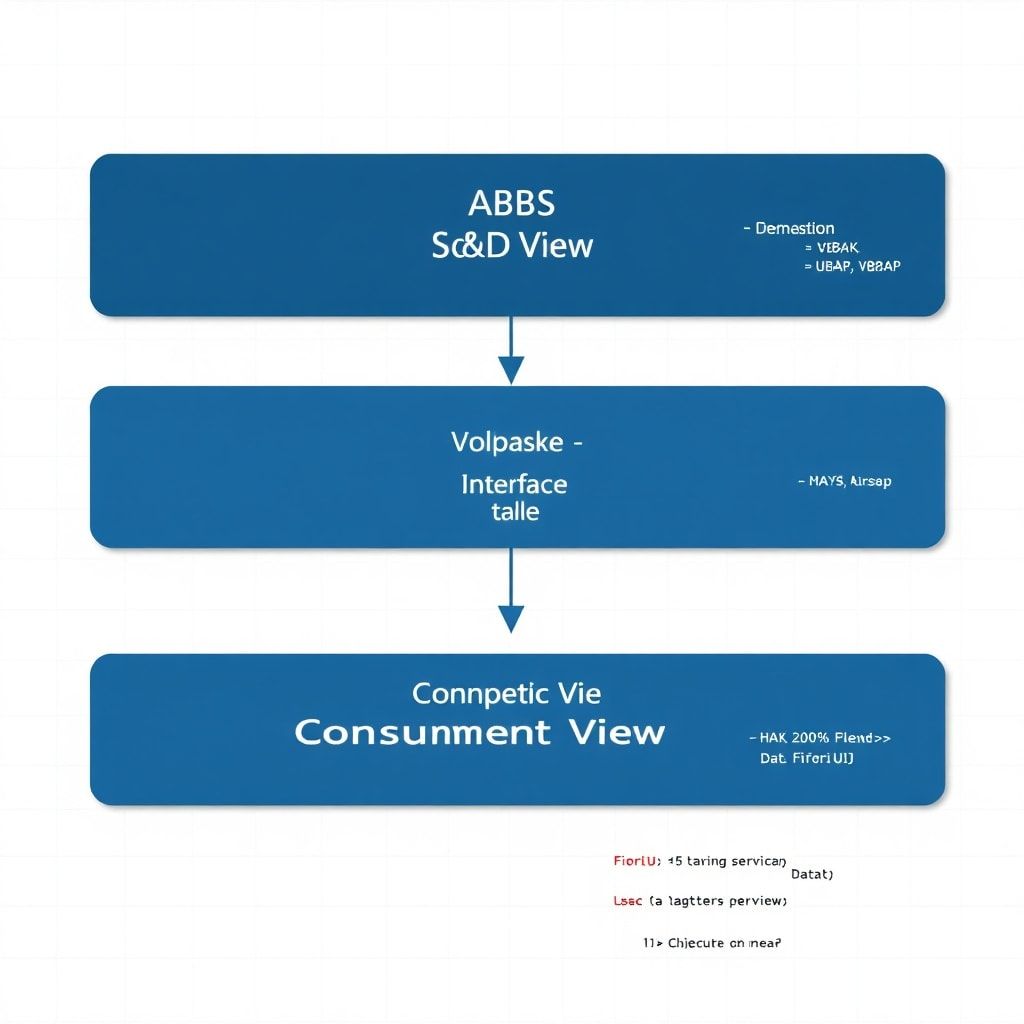
If you’ve been following this CDS Views series, you already know how to build layered architectures, optimize performance, and lock down access control with DCL. Now it’s time to tackle one of the most powerful—and most underused—capabilities in the CDS toolkit: virtual elements, input parameters, and session variables. These features allow you to build truly dynamic data models that adapt to context, user, and runtime conditions without touching a single line of classic ABAP report code.
In my experience, this is where CDS views go from being “just another database view” to becoming a legitimate application layer. Let me show you exactly how to use these features in real SAP S/4HANA environments, with practical code you can actually apply.
Why Static CDS Views Are Holding You Back
Here’s a scenario I’ve seen dozens of times. A team builds a beautiful CDS view for a Fiori analytical app. It works perfectly in the test system. Then someone asks: “Can we filter by the current user’s plant automatically?” Or: “Can we show the fiscal year based on the user’s company code calendar?”
Without the features we’re covering today, the answers to those questions push complexity into the Fiori frontend or into a custom ABAP class behind an OData service. That’s the wrong place for it. The data model should carry that logic.
This is the gap that virtual elements, input parameters, and session variables fill elegantly.
Understanding Input Parameters in CDS Views
Input parameters let you pass runtime values directly into a CDS view. Think of them as typed query parameters at the data model layer. They’re defined in the view header and consumed in the WHERE clause or in expressions.
Basic Input Parameter Syntax
Let’s start with a concrete example. Suppose you need a view that returns open purchase orders for a given fiscal year and controlling area.
@AbapCatalog.sqlViewName: 'ZV_OPEN_PO_PARAM'
@AbapCatalog.compiler.compareFilter: true
@AccessControl.authorizationCheck: #CHECK
@EndUserText.label: 'Open POs by Fiscal Year'

define view ZC_OpenPurchaseOrders
  with parameters
    p_fiscal_year   : gjahr,
    p_kokrs         : kokrs

  as select from ekko as po
    inner join ekpo as poi
      on po.ebeln = poi.ebeln

  association [1..1] to I_CompanyCode as _CompanyCode
    on po.bukrs = _CompanyCode.CompanyCode

{
  key po.ebeln          as PurchaseOrder,
  key poi.ebelp         as PurchaseOrderItem,
      po.bukrs          as CompanyCode,
      po.lifnr          as Vendor,
      poi.netpr         as NetPrice,
      poi.waers         as Currency,
      po.gjahr          as FiscalYear,

      /* Only expose the association */
      _CompanyCode
}
where
  po.gjahr = $parameters.p_fiscal_year
  and po.kokrs = $parameters.p_kokrs
  and poi.elikz = ''
  and poi.loekz = ''
A few things worth noting here. The with parameters clause defines typed inputs—gjahr and kokrs are ABAP Dictionary types, so your parameters inherit all the domain validations automatically. The $parameters prefix is how you reference them inside the view body. This is clean, explicit, and immediately readable to any developer looking at the code.
Consuming Parameterized Views
When you consume a parameterized view in ABAP, you pass the values at runtime using the USING addition in Open SQL:
DATA: lt_open_po TYPE TABLE OF ZC_OpenPurchaseOrders.

SELECT *
  FROM ZC_OpenPurchaseOrders(
    p_fiscal_year = '2024',
    p_kokrs       = '1000'
  )
  INTO TABLE @lt_open_po.
Simple, typed, and the parameterization happens at the right layer. The Fiori OData layer or RAP service layer passes these parameters transparently to the underlying view—you’re not writing filter logic in multiple places.
Composing Parameterized Views
One thing that trips people up: when you use a parameterized view as a data source in another CDS view, you must pass parameters explicitly. Here’s how:
define view ZC_POAnalytics
  with parameters
    p_fiscal_year : gjahr,
    p_kokrs       : kokrs

  as select from ZC_OpenPurchaseOrders(
    p_fiscal_year = $parameters.p_fiscal_year,
    p_kokrs       = $parameters.p_kokrs
  ) as base

{
  base.PurchaseOrder,
  base.CompanyCode,
  base.NetPrice,
  base.Currency
}
You thread parameters through the view hierarchy explicitly. This is intentional—CDS doesn’t do implicit parameter forwarding, and that’s actually a good thing. It keeps the data flow visible and auditable.
Session Variables: Injecting Context Without Parameters
Input parameters are great when you want explicit caller control. But sometimes you want the view to automatically adapt to the runtime context—current user, current date, current language. That’s where CDS session variables shine.
Available Session Variables
SAP CDS supports a set of built-in session variables that you can reference directly inside view definitions:
$session.user— the current SAP user ID (SY-UNAME equivalent)$session.client— the current client (SY-MANDT)$session.system_language— the current logon language (SY-LANGU)$session.system_date— the current application server date (SY-DATUM)
Let me show you a practical use case. Suppose you need a view that always returns only the records relevant to the logged-in user’s responsible plant—without any parameters, without any ABAP wrapper:
@AbapCatalog.sqlViewName: 'ZV_USER_NOTIFS'
@AccessControl.authorizationCheck: #CHECK
@EndUserText.label: 'My Notifications Today'

define view ZC_MyNotificationsToday
  as select from qmel as notif

{
  key notif.qmnum    as NotificationNumber,
      notif.qmart    as NotificationType,
      notif.matnr    as Material,
      notif.werks    as Plant,
      notif.ernam    as CreatedBy,
      notif.erdat    as CreationDate,
      notif.qmtxt    as NotificationText
}
where
  notif.ernam = $session.user
  and notif.erdat = $session.system_date
  and notif.qmsta <> 'I0009'  /* Exclude completed */
This view requires zero parameters. It self-contextualizes based on who’s running it and when. That’s the kind of design that makes Fiori app development significantly simpler—your OData service just exposes this view, and user-specific filtering is handled entirely in the data model.
Architect’s note: Use session variables for authorization-adjacent filtering (user, client, language) and input parameters for business-domain filtering (fiscal year, company code, plant). Mixing these purposes leads to confusion. Keep the intent clear.
Virtual Elements: Computed Columns Without Database Storage
Virtual elements are perhaps the most misunderstood feature in the CDS toolkit. They let you define a field in a CDS view that has no corresponding database column—instead, its value is computed at runtime via an ABAP method call. Think of them as a bridge between the declarative CDS world and imperative ABAP logic.
Virtual elements are particularly useful in RAP-based applications where you need computed fields like “criticality ratings,” formatted composite strings, or values derived from complex business logic that can’t be expressed in SQL.
Defining a Virtual Element
@AbapCatalog.sqlViewName: 'ZV_PO_RISK'
@AccessControl.authorizationCheck: #CHECK
@EndUserText.label: 'PO Risk Assessment View'

define root view entity ZC_POWithRiskAssessment
  as select from ekko

{
  key ebeln                          as PurchaseOrder,
      bukrs                          as CompanyCode,
      lifnr                          as Vendor,
      netwr                          as NetValue,
      waers                          as Currency,
      bedat                          as DocumentDate,

      /*
       * Virtual element: computed by ABAP class at runtime
       * The @ObjectModel annotations connect it to the implementation
       */
      @ObjectModel.virtualElement: true
      @ObjectModel.virtualElementCalculatedBy: 'ABAP:ZCL_PO_RISK_CALCULATOR'
      cast( 0 as abap.int1 )          as RiskLevel,

      @ObjectModel.virtualElement: true
      @ObjectModel.virtualElementCalculatedBy: 'ABAP:ZCL_PO_RISK_CALCULATOR'
      cast( ' ' as abap.char(30) )    as RiskDescription
}
Now let’s implement the calculator class. It must implement the interface IF_SADL_EXIT_CALC_ELEMENT_READ:
CLASS zcl_po_risk_calculator DEFINITION
  PUBLIC
  FINAL
  CREATE PUBLIC.

  PUBLIC SECTION.
    INTERFACES if_sadl_exit_calc_element_read.

ENDCLASS.

CLASS zcl_po_risk_calculator IMPLEMENTATION.

  METHOD if_sadl_exit_calc_element_read~calculate_elements.
    """
    @parameter it_original_data: Input - the raw CDS result set rows
    @parameter it_requested_elements: Which virtual elements are requested
    @parameter ct_calculated_data: Output - same rows with virtual fields populated
    """

    DATA: ls_original  TYPE LINE OF if_sadl_exit_calc_element_read=>tt_original_data,
          ls_calc      TYPE LINE OF if_sadl_exit_calc_element_read=>tt_calculated_data.

    FIELD-SYMBOLS: <ls_calc> LIKE LINE OF ct_calculated_data.

    ct_calculated_data = CORRESPONDING #( it_original_data ).

    LOOP AT ct_calculated_data ASSIGNING <ls_calc>.

      DATA(ls_data) = CORRESPONDING zc_powithriskassessment( <ls_calc> ).

      """ Compute risk level based on net value thresholds """
      DATA(lv_risk_level) = SWITCH abap.int1(
        ls_data-netvalue
        WHEN BETWEEN 0 AND 9999    THEN 1  " Low
        WHEN BETWEEN 10000 AND 99999 THEN 2  " Medium
        ELSE                             3   " High
      ).

      DATA(lv_risk_description) = SWITCH abap.char30(
        lv_risk_level
        WHEN 1 THEN 'Low Risk'
        WHEN 2 THEN 'Medium Risk'
        WHEN 3 THEN 'High Risk - Review Required'
      ).

      <ls_calc>-risklevel       = lv_risk_level.
      <ls_calc>-riskdescription = lv_risk_description.

    ENDLOOP.

  ENDMETHOD.

ENDCLASS.
A couple of important things to keep in mind here. Virtual elements are calculated after the database query executes—they run on the application server. This means they can’t be used in WHERE clauses for filtering, and they don’t benefit from database indexes. Use them for display and formatting logic, not for filtering or aggregation.
Also, the SWITCH expression I used above with BETWEEN is simplified for illustration—in production, you’d typically drive this from Customizing table entries rather than hardcoded thresholds.
Combining All Three: A Real-World Pattern
Let’s bring these three concepts together in a realistic scenario. You’re building a quality notification dashboard for a plant manager. The view should:
- Automatically scope to the current user
- Accept a date range via input parameters
- Compute a display-friendly status label via a virtual element
@AbapCatalog.sqlViewName: 'ZV_QM_DASH'
@AccessControl.authorizationCheck: #CHECK
@EndUserText.label: 'QM Dashboard - Plant Manager View'

define root view entity ZC_QMDashboard
  with parameters
    p_date_from : dats,
    p_date_to   : dats

  as select from qmel as notif

{
  key notif.qmnum  as NotificationNumber,
      notif.qmart  as NotificationType,
      notif.werks  as Plant,
      notif.matnr  as Material,
      notif.erdat  as CreationDate,
      notif.qmsta  as SystemStatus,
      notif.ernam  as CreatedBy,

      @ObjectModel.virtualElement: true
      @ObjectModel.virtualElementCalculatedBy: 'ABAP:ZCL_QM_STATUS_FORMATTER'
      cast( ' ' as abap.char(40) ) as StatusDescription,

      @ObjectModel.virtualElement: true
      @ObjectModel.virtualElementCalculatedBy: 'ABAP:ZCL_QM_STATUS_FORMATTER'
      cast( 0 as abap.int1 )       as StatusCriticality
}
where
  notif.ernam  = $session.user
  and notif.erdat >= $parameters.p_date_from
  and notif.erdat <= $parameters.p_date_to
This is a clean, self-describing view. Any developer reading it immediately understands: who it’s for (current user), what controls its scope (date parameters), and what computed display logic runs on top (status formatter). That clarity is architectural value.
Performance Considerations You Can’t Ignore
A few hard-won lessons before you ship this into production:
Input Parameters and Index Usage
Parameterized CDS views generate dynamic SQL at runtime. Make sure the columns referenced in your WHERE clause with parameters are backed by appropriate HANA indexes. Use the HANA SQL Analyzer or SAT (ABAP Trace) to verify execution plans. If your parameter-driven filter doesn’t hit an index, you’ll end up with full table scans at runtime—which can be painful on tables like EKKO or QMEL in large systems.
Virtual Element Overhead
Virtual elements run ABAP code for every row in the result set. If your view returns 50,000 rows, your calculator class is invoked for 50,000 records. Keep the logic in the calculator class lightweight. Move heavy computations to Customizing table lookups with buffering enabled, never to RFC calls or database reads inside the loop.
Session Variable Filtering and Pushdown
Session variables like $session.user are evaluated on the database layer in HANA—they get pushed down as query predicates. This is efficient. But make sure the column you’re filtering (ernam, for example) has adequate selectivity in your data distribution. A filter on ernam with a poorly distributed index can still result in expensive scans.
For deeper guidance on identifying and fixing these kinds of bottlenecks, check out the earlier article on SAP ABAP Performance Optimization: Identifying and Fixing Bottlenecks in Real-World Systems—a lot of those principles apply directly to CDS-backed OData services as well.
Access Control with Parameterized Views
One pattern worth calling out explicitly: when you use $session.user in a CDS view, you might think you’ve handled authorization. You haven’t—not fully. Session variable filtering is data scoping, not access control.
You still need a DCL (Data Control Language) object to enforce authorization objects. If you haven’t worked with CDS DCL before, the CDS Views Series Part 4: Advanced Annotations, Access Control and DCL in SAP S/4HANA covers this in depth. Use both: session variables for natural data scoping, DCL for formal authorization enforcement.
Quick Reference: When to Use Each Feature
| Feature | Best For | Avoid When |
|---|---|---|
| Input Parameters | Business domain filtering (fiscal year, plant, date range) | Deriving values from user context automatically |
| Session Variables | User context (current user, language, date) | Business-domain filtering that callers should control |
| Virtual Elements | Display logic, computed labels, criticality | Filtering, aggregation, large result sets with heavy logic |
Summary and Next Steps
Virtual elements, input parameters, and session variables are the features that separate a mature CDS view architecture from a basic one. When you combine them deliberately, you get a data model that is:
- Context-aware: adapts to the current user and session
- Parameterizable: accepts runtime business filters without ABAP boilerplate
- Display-ready: exposes computed, UI-friendly fields alongside raw data
The next part of this series will focus on CDS-based analytical views and HANA-native aggregations—specifically how to design cube views and dimension views for embedded analytics dashboards, and when to use them versus CDS Projection Views for transactional scenarios. Stay tuned.
If you’re building RAP-based apps alongside these CDS views, don’t miss the ABAP RAP: A Senior Architect’s Guide to Building Modern Fiori Apps—the two topics complement each other closely.
What’s your experience with virtual elements in production? Have you hit performance walls with large result sets, or found creative uses for session variables I haven’t covered here? Drop your thoughts in the comments below—I read every one, and the best questions often become the next article.