ABAP OOP Design Patterns: Mastering the Observer Pattern for Real-Time Event Handling in SAP S/4HANA
If you’ve been writing ABAP long enough, you’ve probably built something like this: a business object changes state, and suddenly five other modules need to react. You wire them together with direct method calls, everything works fine—until requirements change, a new consumer appears, and you’re untangling a web of tight couplings at 11 PM before a go-live. Sound familiar? The Observer pattern in ABAP OOP is the structural answer to this exact problem, and it’s one of the most underutilized design patterns in SAP development today.
In this article, I’ll walk you through a production-grade implementation of the Observer pattern in ABAP, explain when to use it (and when not to), and show you how it complements the event-driven thinking you already apply at the integration layer. We previously explored the Strategy Pattern in ABAP OOP with real-world applications—this article builds on that foundation and takes your design pattern toolkit one step further.
Why the Observer Pattern Belongs in Your ABAP Toolkit
The Observer pattern defines a one-to-many dependency between objects. When one object (the Subject or Publisher) changes state, all its registered dependents (Observers or Subscribers) are notified and updated automatically. That’s the textbook definition. In SAP terms, think of it this way:
- A sales order is confirmed → inventory reservation, credit check update, and a customer notification all need to trigger.
- A production order changes status → quality management, cost accounting, and a dashboard refresh must react.
- A goods movement posts → downstream processes in WM/EWM, FI, and potentially an external MES system need awareness.
The naive solution is to call each of these explicitly from the triggering logic. The Observer pattern inverts this dependency—the subject doesn’t need to know who is listening. Observers register themselves. This is the foundation of the Open/Closed Principle in action: your core business object is closed for modification but open for extension by adding new observers.
Understanding the Core Structure Before Writing a Single Line
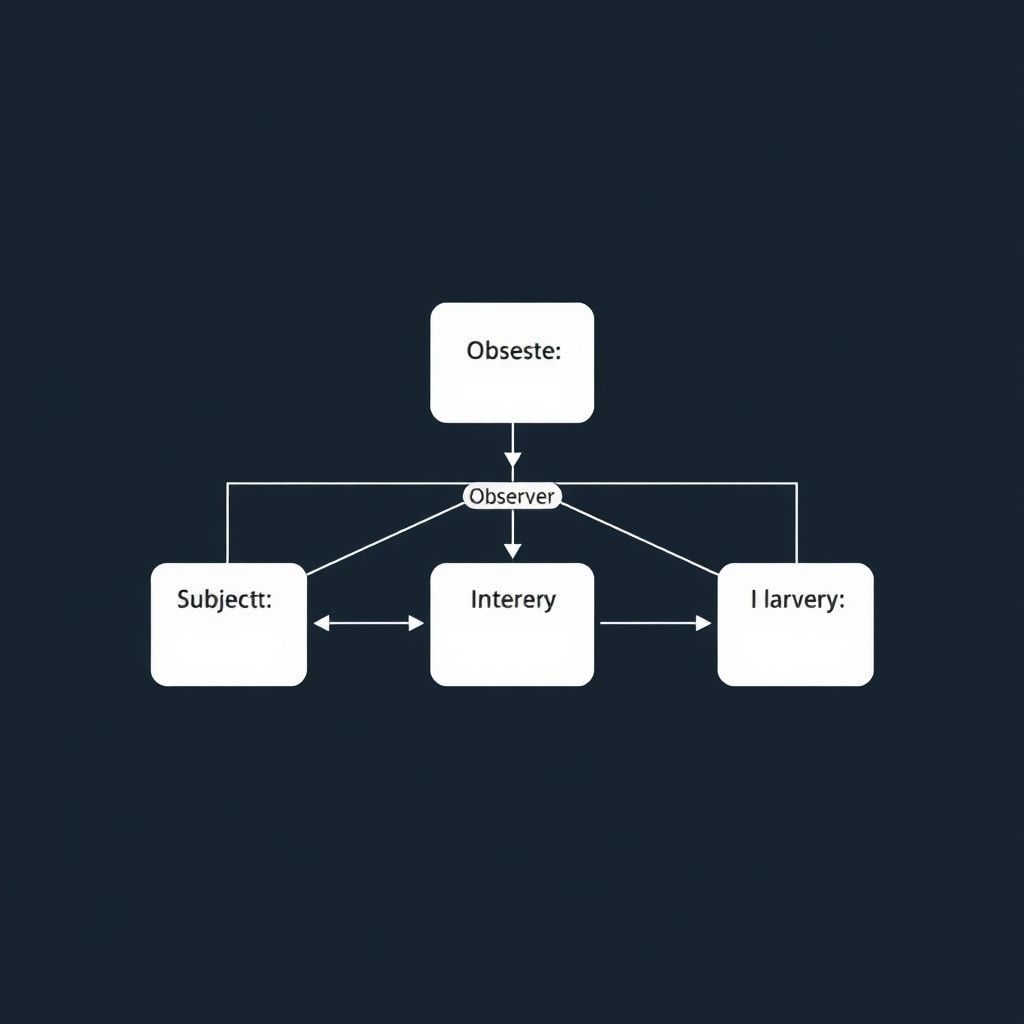
Before jumping to code, let me draw the conceptual map. There are four participants:
- Subject Interface (IF_SUBJECT): Defines the contract for attaching, detaching, and notifying observers.
- Observer Interface (IF_OBSERVER): Defines the
update()method that all observers must implement. - Concrete Subject (CL_SALES_ORDER_SUBJECT): Holds the state and manages the observer list.
- Concrete Observers (CL_INVENTORY_OBSERVER, CL_CREDIT_OBSERVER, etc.): React to state changes.
One thing I always emphasize to my teams: design your interfaces first, implement later. The interface contract is your architecture. Everything else is detail.
Implementing the Observer Pattern in ABAP: Step-by-Step
Step 1: Define the Observer Interface
""" IF_OBSERVER — The contract every listener must fulfill """
INTERFACE if_observer.
  METHODS:
    update
      IMPORTING
        iv_event_type TYPE string
        iv_object_key TYPE vbeln   " Sales order number or relevant key
        iv_new_status TYPE string.
ENDINTERFACE.
Key design decision: I’m passing the event type and the object key rather than a direct reference to the subject. This keeps observers loosely coupled—they receive only what they need, not a handle to the entire subject object. In large systems, passing the full subject reference can cause memory issues and creates hidden coupling.
Step 2: Define the Subject Interface
""" IF_SUBJECT — The contract the observable object must fulfill """
INTERFACE if_subject.
  METHODS:
    attach
      IMPORTING
        io_observer TYPE REF TO if_observer,
    detach
      IMPORTING
        io_observer TYPE REF TO if_observer,
    notify
      IMPORTING
        iv_event_type TYPE string
        iv_new_status TYPE string.
ENDINTERFACE.
Step 3: Implement the Concrete Subject
""" CL_SALES_ORDER_SUBJECT — The observable business entity """
CLASS cl_sales_order_subject DEFINITION
  PUBLIC
  CREATE PUBLIC.

  PUBLIC SECTION.
    INTERFACES if_subject.

    METHODS:
      constructor
        IMPORTING
          iv_order_number TYPE vbeln,
      set_status
        IMPORTING
          iv_status TYPE string.

  PRIVATE SECTION.
    DATA:
      mv_order_number TYPE vbeln,
      mv_current_status TYPE string,
      mt_observers TYPE TABLE OF REF TO if_observer.

ENDCLASS.

CLASS cl_sales_order_subject IMPLEMENTATION.

  METHOD constructor.
    mv_order_number = iv_order_number.
  ENDMETHOD.

  METHOD if_subject~attach.
    APPEND io_observer TO mt_observers.
  ENDMETHOD.

  METHOD if_subject~detach.
    " Remove by reference identity
    DELETE mt_observers WHERE table_line = io_observer.
  ENDMETHOD.

  METHOD if_subject~notify.
    " Loop through all registered observers and call update
    LOOP AT mt_observers INTO DATA(lo_observer).
      lo_observer->update(
        iv_event_type = iv_event_type
        iv_object_key = mv_order_number
        iv_new_status = iv_new_status
      ).
    ENDLOOP.
  ENDMETHOD.

  METHOD set_status.
    " Only notify if the status actually changed — avoid spurious notifications
    IF iv_status <> mv_current_status.
      mv_current_status = iv_status.
      if_subject~notify(
        iv_event_type = 'STATUS_CHANGE'
        iv_new_status = mv_current_status
      ).
    ENDIF.
  ENDMETHOD.

ENDCLASS.
Practical note on the set_status method: That equality check before notifying is not optional—it’s a discipline. I’ve seen systems where observers get triggered 40 times because the subject’s state is written repeatedly in a loop with the same value. Your observers may trigger database writes, RFC calls, or emails. Guard that notification call.
Step 4: Implement Concrete Observers
""" CL_INVENTORY_OBSERVER — Reacts to sales order status changes """
CLASS cl_inventory_observer DEFINITION
  PUBLIC
  CREATE PUBLIC.

  PUBLIC SECTION.
    INTERFACES if_observer.

ENDCLASS.

CLASS cl_inventory_observer IMPLEMENTATION.

  METHOD if_observer~update.
    " Only react to specific event types this observer cares about
    IF iv_event_type = 'STATUS_CHANGE' AND iv_new_status = 'CONFIRMED'.
      " Real implementation: trigger inventory reservation logic
      WRITE: / |[INVENTORY] Reserving stock for order: { iv_object_key }|.
      " In production: call reservation function module or BAdI here
    ENDIF.
  ENDMETHOD.

ENDCLASS.

""" CL_CREDIT_CHECK_OBSERVER — Validates credit when order is confirmed """
CLASS cl_credit_check_observer DEFINITION
  PUBLIC
  CREATE PUBLIC.

  PUBLIC SECTION.
    INTERFACES if_observer.

ENDCLASS.

CLASS cl_credit_check_observer IMPLEMENTATION.

  METHOD if_observer~update.
    IF iv_event_type = 'STATUS_CHANGE'.
      WRITE: / |[CREDIT] Running credit check for order: { iv_object_key }, Status: { iv_new_status }|.
      " In production: call credit management API or FI integration point
    ENDIF.
  ENDMETHOD.

ENDCLASS.
Step 5: Wire It All Together — The Client Code
""" Program: ZDEMO_OBSERVER_PATTERN — Orchestrates the setup """
REPORT zdemo_observer_pattern.

DATA:
  lo_order   TYPE REF TO cl_sales_order_subject,
  lo_inv_obs TYPE REF TO cl_inventory_observer,
  lo_crd_obs TYPE REF TO cl_credit_check_observer.

START-OF-SELECTION.

  " Create the subject
  CREATE OBJECT lo_order
    EXPORTING iv_order_number = '0000012345'.

  " Create observers
  CREATE OBJECT lo_inv_obs.
  CREATE OBJECT lo_crd_obs.

  " Register observers with the subject
  lo_order->if_subject~attach( lo_inv_obs ).
  lo_order->if_subject~attach( lo_crd_obs ).

  " Trigger state changes — observers react automatically
  lo_order->set_status( 'PENDING' ).    " Both observers notified
  lo_order->set_status( 'CONFIRMED' ).  " Both observers notified, inventory reacts
  lo_order->set_status( 'CONFIRMED' ).  " No notification — same status, guard fires

  " Detach the credit observer dynamically (e.g., feature flag, config)
  lo_order->if_subject~detach( lo_crd_obs ).

  lo_order->set_status( 'SHIPPED' ).    " Only inventory observer notified
Run this and you’ll see the output clearly demonstrating how observers respond selectively, and how detachment works at runtime without modifying a single line of the subject or other observers. This is the power of the pattern.
Real-World Considerations You Won’t Find in Textbooks
Error Handling Inside Observer Loops
What happens when one observer throws an exception? By default, the entire notification loop aborts. In mission-critical SAP systems, that’s unacceptable. Here’s how I handle it in production:
  METHOD if_subject~notify.
    LOOP AT mt_observers INTO DATA(lo_observer).
      TRY.
          lo_observer->update(
            iv_event_type = iv_event_type
            iv_object_key = mv_order_number
            iv_new_status = iv_new_status
          ).
        CATCH cx_root INTO DATA(lx_error).
          " Log the error but continue notifying remaining observers
          " In production: write to application log (SLG1)
          MESSAGE lx_error->get_text( ) TYPE 'W'.
      ENDTRY.
    ENDLOOP.
  ENDMETHOD.
This is the fail-safe notification pattern. One broken observer should never silence the rest. Log it, alert it, but keep the chain going.
Thread Safety and Shared State
ABAP runs in a single-threaded work process model by default, so classical thread safety isn’t your primary concern here. However, if you’re using this in conjunction with asynchronous RFC, background jobs, or parallel processing frameworks, you need to think carefully about the lifecycle of your observer list. Don’t register observers in a static context and assume they’ll always be valid across parallel tasks.
Memory Management
In long-running ABAP programs or factory-managed observer registries, detaching unused observers is critical. I’ve seen memory bloat in production because observers were attached in a loop but never detached. Build a detach_all() method and call it during cleanup phases.
When to Use the Observer Pattern — and When to Walk Away
Use it when:
- Multiple, potentially unknown components need to react to state changes in a core object.
- You want to avoid direct dependencies between the triggering logic and its consumers.
- The set of consumers can change at runtime or differs between deployment configurations.
Avoid it when:
- You have exactly one consumer that will never change—the added abstraction isn’t worth it.
- The notification order matters and must be guaranteed—Observer doesn’t define ordering semantics.
- The system is performance-critical at microsecond resolution—the loop overhead adds up at extreme scale.
For cross-system, asynchronous event propagation in S/4HANA, you’d naturally graduate from this in-process Observer to event-driven architectures using the RAP business events framework or integration platforms. The conceptual foundation remains identical.
Connecting the Dots: Observer, Strategy, and Clean Code
Design patterns don’t live in isolation. The Observer pattern pairs beautifully with the Strategy pattern—your observers can internally use strategies to determine how they respond to different event types. And to keep all of this maintainable, the principles from Clean ABAP: 10 Golden Rules for Readable and Maintainable Code apply directly: meaningful names, small focused methods, no side effects hidden in loops.
If you’re writing unit tests for this structure—and you absolutely should be—the interface-based design makes it trivial to inject test doubles. Check out our guide on ABAP Unit Testing in SAP S/4HANA for a practical walkthrough of testing patterns like this one with mock objects.
Key Takeaways
- The Observer pattern decouples state change producers from their consumers, enabling scalable, maintainable ABAP architectures.
- Always design interfaces first—
IF_OBSERVERandIF_SUBJECTare your architecture, not your implementation. - Guard your
notify()call with a state-change check to avoid spurious notifications. - Wrap observer calls in
TRY...CATCHloops to implement fail-safe notification behavior. - Design patterns compound—Observer + Strategy + Clean ABAP principles create systems that are genuinely pleasant to extend.
What’s Next?
The Observer pattern is foundational. Once you’re comfortable with it, the logical next step is exploring the Command pattern—which lets you encapsulate operations as objects, enabling undo/redo, queuing, and audit trails in ABAP. That’s a topic I’ll cover in the next installment of this design patterns series.
In the meantime, I’d encourage you to look at one piece of your current ABAP codebase where you have tight coupling between a business object and its downstream effects. Ask yourself: could the Observer pattern clean this up? Nine times out of ten, the answer is yes.
Have you used the Observer pattern in a production SAP system? What was the most complex challenge you faced? Drop your experience in the comments below—I read every one, and real-world scenarios often make the best follow-up articles. If this was useful, share it with your team. Good design patterns deserve good company.