ABAP CDS Views Series — Part 5: Performance Optimization, Buffering Strategies, and Query Tuning in SAP S/4HANA
If you’ve been following this series, you already know how to build CDS views with the right architectural layers, apply advanced annotations, and lock them down with DCL access controls. Now it’s time to talk about the topic that separates junior developers from senior architects: performance. Writing a CDS view that works is one thing. Writing one that works fast — under real production load, against billions of rows, across complex joins — is a completely different skill set.
In this fifth installment of the ABAP CDS Views series, I’ll walk you through the performance optimization strategies I’ve applied on real SAP S/4HANA projects. We’ll cover query plan analysis, buffering, push-down optimization, and the common pitfalls that silently kill performance in production. Buckle up — this one’s dense, but worth every minute.
💡 Series Note: This article builds on concepts covered in the earlier parts of this series. If you’re new here, I recommend checking out Part 4: Advanced Annotations, Access Control, and DCL before continuing. For foundational concepts, start with Part 1: CDS Views Basics and Part 2: Architectural Layers.
Why CDS View Performance Matters More Than You Think
Here’s a scenario I’ve seen play out on more than one project: A team builds a beautifully designed CDS view hierarchy. Clean interfaces, proper layering, DCL rules applied. The demo looks great. Then you go live — and the Fiori app that was snappy in the test system starts timing out in production.
The culprit? Almost always one of three things:
- Missing or misplaced indexes on underlying database tables
- Joins that prevent SAP HANA from pushing down the full query
- Excessive association-based navigation being triggered by the UI layer
SAP HANA is a powerful engine, but it can only do what you let it do. Your job as an architect is to get out of its way and let it optimize — or to give it the right hints when it can’t figure it out alone.
Understanding the HANA Execution Plan
Before you optimize anything, you need to understand what’s actually happening. The HANA Explain Plan is your best friend here. You can access it directly from the ABAP Development Tools (ADT) in Eclipse.
How to Access the Explain Plan for a CDS View
- Right-click your CDS view in ADT
- Select Open With → SAP HANA Database Explorer
- Run
EXPLAIN PLAN FOR SELECT * FROM your_cds_view - Analyze the output for full table scans, join types, and column store access patterns
Look specifically for:
- TABLE SCAN on large tables — this is almost always a red flag
- HASH JOIN vs. NESTED LOOP JOIN — hash joins are generally preferred for large datasets
- ROW STORE access — HANA’s column store is optimized for analytics; if you’re hitting row store tables, performance will suffer
Push-Down Optimization: Let HANA Do the Heavy Lifting
The single most impactful optimization you can make is ensuring your logic is fully pushed down to the database layer. This means the entire computation — filtering, aggregation, joining — happens in HANA, not in the application server.
What Breaks Push-Down?
Several ABAP constructs prevent full push-down. When you call a CDS view from ABAP using SELECT, the following will force partial processing on the application server:
- Using
INTO TABLEwith post-processing loops - Calling function modules or BAPI calls inline
- Using
COLLECTstatements after the SELECT - Client-side calculations on fetched data
Instead, push aggregation and filtering into the CDS view itself. Here’s a practical example:
❌ Bad Pattern: Application Server-Side Aggregation
" Fetching all data, then aggregating in ABAP — NEVER do this on large datasets
SELECT matnr, werks, labst
  FROM mard
  INTO TABLE @DATA(lt_stock).

DATA lv_total TYPE p.
LOOP AT lt_stock INTO DATA(ls_stock).
  lv_total = lv_total + ls_stock-labst.
ENDLOOP.
✅ Good Pattern: Push Aggregation to CDS
@AbapCatalog.sqlViewName: 'ZSTOCK_AGG_V'
@AbapCatalog.compiler.compareFilter: true
@AccessControl.authorizationCheck: #CHECK
@EndUserText.label: 'Aggregated Stock View'
define view ZSTOCK_AGGREGATED
  as select from mard
{
  key matnr,
  key werks,
      sum( labst ) as total_stock,  -- Aggregation happens in HANA
      sum( einme ) as total_incoming
}
group by
  matnr,
  werks
Then in ABAP, you just read the result:
SELECT matnr, werks, total_stock
  FROM zstock_aggregated
  WHERE werks = @lv_plant
  INTO TABLE @DATA(lt_result).
This is a night-and-day difference. The first pattern transfers thousands of rows to the app server. The second transfers only the aggregated result.
Using the @AbapCatalog Annotations for Buffering
Not all data changes at the same rate. Master data like materials, plants, and vendors is relatively static. Transactional data like stock movements and delivery items changes constantly. Your buffering strategy should reflect this reality.
Table Buffering Awareness in CDS Views
CDS views themselves don’t have a direct buffering annotation — buffering is configured at the Dictionary table level (SE11). However, as an architect, you need to be aware of how table buffering interacts with your CDS views.
If a CDS view reads from a buffered table using non-key fields in the WHERE clause, ABAP may bypass the buffer and go to the database directly. This is called a buffer bypass.
Rules to follow:
- Always filter on key fields first when reading buffered tables through CDS views
- Use
@AbapCatalog.buffering.status: #SWITCHED_ONonly on small, static DDIC tables — never on transactional data - For views that combine buffered and non-buffered tables, expect the buffer to be bypassed
The @AbapCatalog.compiler.compareFilter Annotation
This is a small but important annotation that’s often overlooked:
@AbapCatalog.compiler.compareFilter: true
When set to true, the CDS compiler will push WHERE clause filters from the calling ABAP SELECT into the CDS view itself, rather than applying them as a post-filter. For large result sets, this dramatically reduces the data volume transferred and processed.
Always set this to true unless you have a specific reason not to.
Association vs. JOIN: Choosing the Right Strategy
One of the most common architectural questions I get from developers is: “Should I use a JOIN or an ASSOCIATION here?” The answer depends entirely on your consumption pattern.
When to Use JOINs
Use JOINs when the related data is always needed by every consumer of the view. If you’re building a sales order CDS view and you always need the customer name, join the customer master directly.
define view ZSALES_ORDER_DETAILS
  as select from vbak
    inner join kna1 on vbak.kunnr = kna1.kunnr
{
  key vbak.vbeln,
      vbak.kunnr,
      kna1.name1 as customer_name,
      vbak.netwr
}
When to Use Associations
Use associations when the related data is optionally needed — accessed only in specific contexts. Associations are lazy by nature; HANA only executes the join when the association path is actually navigated.
define view ZSALES_ORDER_HEADER
  as select from vbak
  association [0..1] to kna1 as _Customer
    on $projection.kunnr = _Customer.kunnr
  association [0..*] to vbap as _Items
    on $projection.vbeln = _Items.vbeln
{
  key vbeln,
      kunnr,
      netwr,
      erdat,
      -- Expose associations
      _Customer,
      _Items
}
In OData/Fiori contexts, the association is only resolved when the UI explicitly navigates to it — saving you from joining three tables when the user only opened a list page.
This connects directly to what I discussed in the RAP architecture guide — your interface CDS views should expose associations rather than pre-joining everything, letting the consumption layer decide what it actually needs.
Parameterized CDS Views: Filtering at the Root
If your CDS view is always consumed with a specific filter — say, a plant, a company code, or a date range — parameterize it. This tells the query optimizer exactly what data scope to expect and allows HANA to use partition pruning and index range scans effectively.
@AbapCatalog.sqlViewName: 'ZPARAM_STOCK_V'
@AccessControl.authorizationCheck: #CHECK
@EndUserText.label: 'Parameterized Stock View by Plant'
define view ZPARAM_STOCK
  with parameters
    p_werks : werks_d,
    p_budat : budat
  as select from mard
  inner join t001w on mard.werks = t001w.werks
{
  key mard.matnr,
  key mard.werks,
      mard.labst,
      t001w.name1 as plant_name
}
where
  mard.werks = $parameters.p_werks
Consuming it in ABAP:
SELECT matnr, werks, labst
  FROM zparam_stock(
    p_werks = @lv_plant,
    p_budat = @lv_date
  )
  INTO TABLE @DATA(lt_stock).
The WHERE clause filter is now part of the view definition itself, not an afterthought. HANA can build a much better execution plan for this.
Index Strategy: The Foundation Everything Else Depends On
No amount of CDS design elegance compensates for missing database indexes. I’ve seen beautifully crafted CDS view hierarchies perform terribly simply because the underlying DDIC tables had no secondary indexes for the access patterns being used.
Identifying Missing Indexes
Use transaction ST05 (SQL Trace) or the ABAP Profiler in ADT to capture the actual SQL statements generated by your CDS view access. Then check in SE11 or HANA Studio whether the WHERE clause fields have corresponding index support.
Creating Secondary Indexes in SE11
For a custom or extended table, you can create secondary indexes directly in SE11:
- Open the table in SE11
- Go to Indexes
- Create a new index on the frequently filtered fields
- Activate and transport
A critical rule: always include the CLIENT field as the first field in any custom secondary index on client-dependent tables. Otherwise, the index is effectively useless in a multi-client system.
⚠️ Warning: Never create indexes on SAP standard tables without explicit SAP approval. Use customer namespaces (Z/Y) and consult SAP Notes for standard table index guidance. For performance-critical scenarios involving standard tables, consider creating a custom aggregate or staging CDS view instead.
Common Anti-Patterns That Kill CDS Performance
Let me save you from the mistakes I’ve watched teams make repeatedly:
1. Cross-Client Joins Without Explicit Client Field
When joining tables, always make the client field part of your ON condition unless ABAP handles it automatically. In CDS, cross-client access is possible and dangerous.
2. Using CASE WHEN for Classification Instead of Lookup Views
A long CASE WHEN chain in a CDS view looks elegant but creates a non-SARGable expression that prevents index usage. If you have status codes or classification logic, build a small domain lookup CDS view and join it instead.
3. Nesting Too Many CDS View Layers
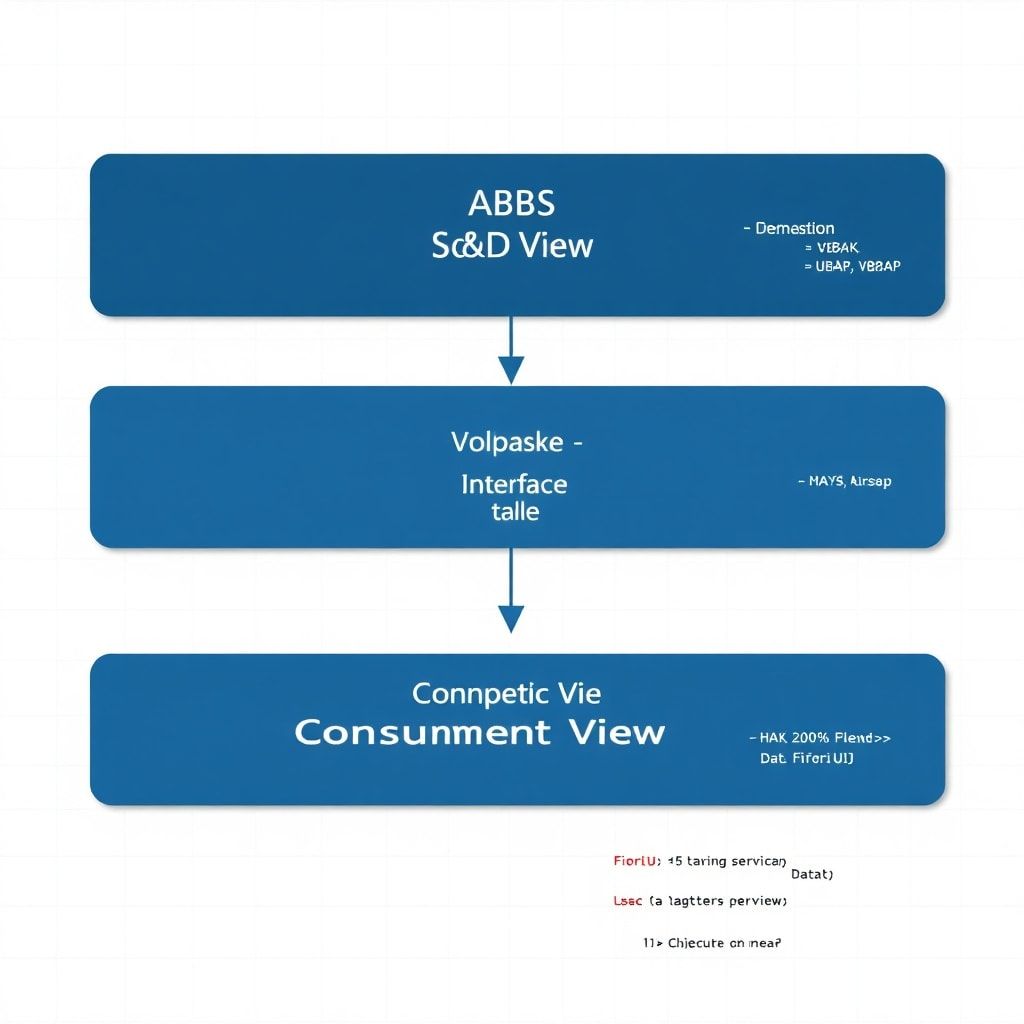
Yes, architectural layering is good. But five layers of CDS views joined together, each adding one or two fields, generates extremely complex SQL that even HANA struggles to optimize. Keep your view stacks to three or four layers maximum for performance-critical paths, as I covered in the architectural layers article.
4. Calling CDS Views from Within LOOP AT Statements
" ❌ Catastrophically bad: N+1 query problem
LOOP AT lt_orders INTO DATA(ls_order).
  SELECT SINGLE * FROM zcustomer_details
    WHERE kunnr = @ls_order-kunnr
    INTO @DATA(ls_customer).
  " process...
ENDLOOP.

" ✅ Correct: Single set-based operation
SELECT o~vbeln, c~name1
  FROM zsales_order_header AS o
  INNER JOIN zcustomer_details AS c ON o~kunnr = c~kunnr
  INTO TABLE @DATA(lt_result).
The N+1 query problem is one of the most damaging performance anti-patterns in ABAP development. It’s covered in depth in the ABAP Performance Optimization guide — essential reading if you haven’t been there yet.
Monitoring CDS View Performance in Production
Optimization doesn’t stop at go-live. You need ongoing visibility into how your CDS views perform under real load.
Key Monitoring Tools
- Transaction DBACOCKPIT: Shows top SQL statements by runtime and frequency
- ST12 (ABAP Trace): Detailed ABAP and SQL profiling for specific programs
- Transaction /SDF/MON: Work process monitoring, useful for identifying persistent slow queries
- SAP HANA Analysis Views in HANA Studio: For direct HANA-level performance analysis
Set a threshold for yourself: any CDS view accessed in a Fiori app should return its result set in under 500ms for typical filter conditions. If you’re regularly seeing 2-3 seconds, it’s time to dig in with the tools above.
Key Takeaways
Performance optimization in CDS views isn’t a single technique — it’s an architectural discipline. Here’s what to remember:
- Always analyze the execution plan before claiming a view is optimized
- Push computation to HANA — never aggregate or filter on the application server what can be done in the database
- Choose JOINs vs. associations deliberately based on consumption patterns
- Parameterize views that are always consumed with specific filter values
- Validate index coverage for all WHERE clause fields in large tables
- Monitor in production — real load reveals what test environments hide
- Avoid the N+1 pattern religiously — it’s the silent performance killer
The architecture decisions you make at design time compound in production. A CDS view that’s 10% slower than it should be might be acceptable in isolation — but when it’s called by a background job processing 50,000 records, that 10% becomes the difference between a job that finishes in 30 minutes and one that times out.
What’s Next in This Series?
In Part 6, we’ll move into the consumption layer — specifically how to expose your CDS views as OData services using RAP (RESTful Application Programming Model) and how to map your CDS architecture to Fiori Element floorplans effectively. We’ll also look at how the performance choices you make in the CDS layer directly impact the responsiveness of the Fiori apps built on top of them.
If you’ve been optimizing CDS views in your own projects, I’d love to hear what patterns you’ve found most impactful. Drop a comment below or reach out directly — the best insights in this field come from the people actually fighting these battles in production systems.