ABAP RESTful Application Programming Model (RAP): A Senior Architect’s Practical Guide to Building Modern Fiori Apps
If you’ve been working in SAP development for more than a few years, you’ve probably felt the shift. The days of writing classical dynpro screens and function module-based APIs are fading fast. The ABAP RESTful Application Programming Model (RAP) is now the strategic framework for building transactional SAP Fiori applications on S/4HANA — and if you’re serious about staying relevant as an SAP architect or senior ABAP developer, mastering RAP isn’t optional anymore. In this guide, I’ll walk you through the core concepts, architectural layers, and practical implementation patterns that actually matter in real-world projects.
I’ve seen teams struggle with RAP not because it’s overly complex, but because they try to learn it the wrong way — jumping straight into annotations and behaviors without understanding the architectural intent behind them. Let’s fix that.
What Is RAP and Why Does It Exist?
The ABAP RESTful Application Programming Model is SAP’s modern programming model designed to build OData-based services and Fiori UI applications with a clean, layered architecture. It replaces the older approaches like BOPF (Business Object Processing Framework) and classical OData development via SEGW.
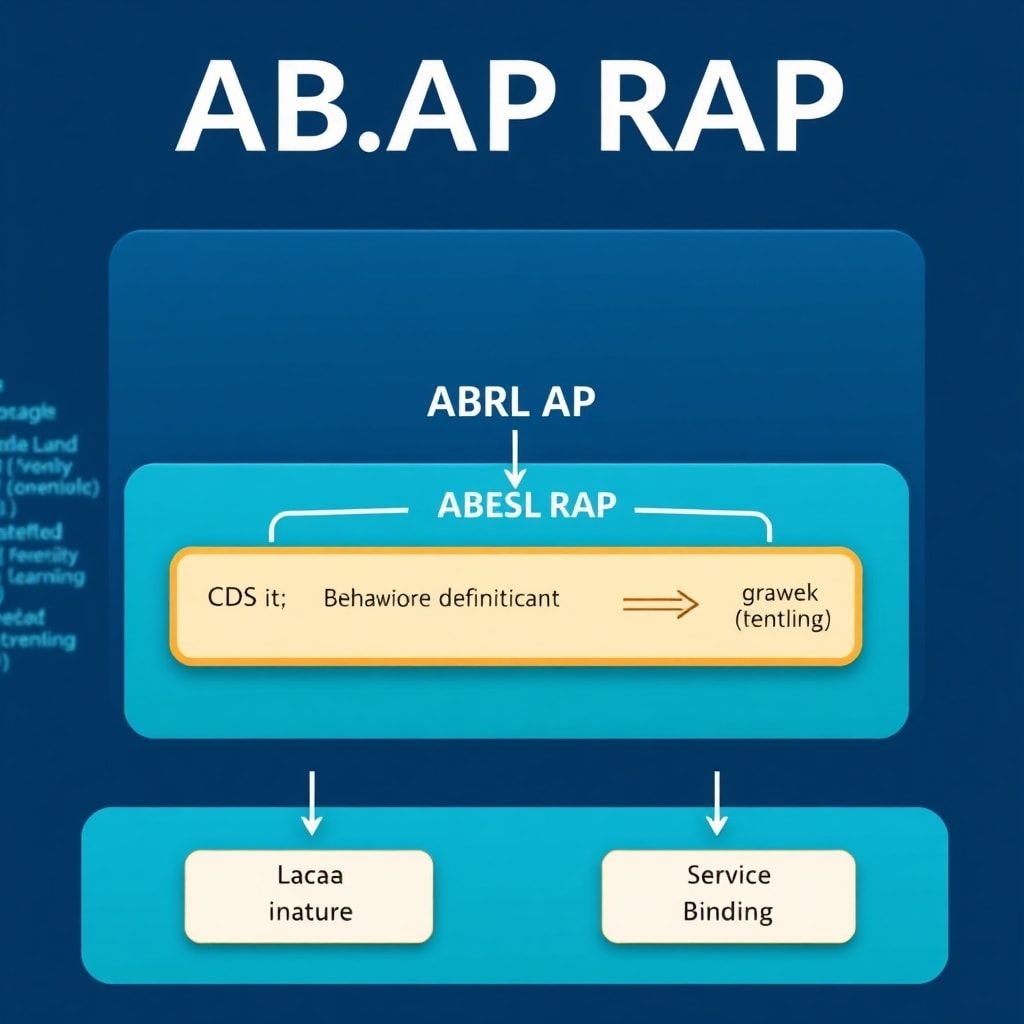
RAP is built on three core pillars:
- CDS (Core Data Services) — for data modeling and exposure
- Behavior Definition and Implementation — for transactional logic
- Service Definition and Binding — for OData exposure to the UI or external consumers
The key architectural insight is this: RAP enforces a clean separation between data modeling, business logic, and service exposure. This is something we’ve always preached in OOP and clean code circles, but RAP makes it structurally unavoidable — which is actually a good thing.
From personal experience: the teams that struggle most with RAP are those that treat it like a “new syntax” for the old way of doing things. RAP is a different mental model. Embrace that shift early, and everything clicks.
The RAP Architecture: Understanding the Layers
Before writing a single line of code, you need to internalize the layered structure of RAP. Here’s how the layers stack up:
1. CDS Data Model Layer
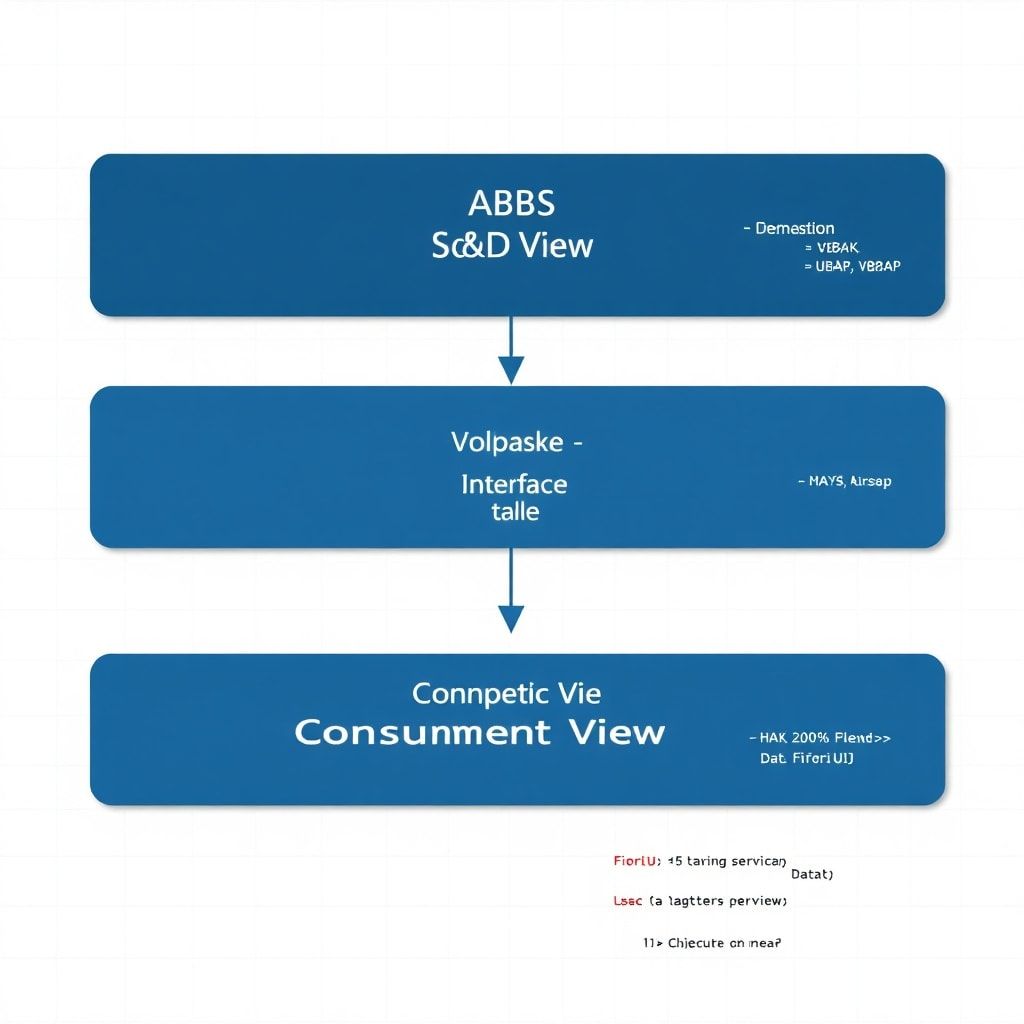
Everything starts with CDS views. In RAP, you define your business object’s data structure using CDS views with specific annotations. There are two main types in this layer:
- Interface CDS Views (I_ prefix): Pure data model, no UI concern. This is your single source of truth.
- Consumption CDS Views (C_ prefix): Projected views tailored for specific Fiori app scenarios, including UI annotations.
If you want to go deeper on CDS view architecture and performance optimization, I covered those fundamentals extensively in earlier posts — check out the CDS Views Series Part 2: Architectural Layers and CDS Views Series Part 3: Performance Optimization for essential background knowledge.
2. Behavior Definition (BDEF)
The behavior definition is where you declare what your business object can do — create, update, delete, custom actions, validations, and determinations. Think of it as the contract for your transactional logic.
3. Behavior Implementation (ABAP Class)
This is where your business logic actually lives — in a plain ABAP class that implements the behavior. This is where clean code and OOP principles become critical. I’ll show you exactly how this works in the code examples below.
4. Service Definition and Binding
Finally, you expose your business object as an OData V2 or V4 service through a service definition and bind it for UI or API consumption.
Managed vs. Unmanaged RAP: Choosing the Right Approach
One of the first architectural decisions you’ll face in a RAP project is whether to use Managed or Unmanaged implementation.
Managed RAP
In managed RAP, the RAP framework handles the standard CRUD operations and draft handling automatically. You only write code for custom logic (validations, determinations, actions). This is the preferred approach for greenfield development on S/4HANA where you’re building on transparent database tables.
When to use it: New business objects, clean data models, standard transactional patterns.
Unmanaged RAP
In unmanaged RAP, you take full control — you implement all CRUD operations yourself. This is typically needed when wrapping existing legacy logic, BAPIs, or function modules.
When to use it: Brownfield scenarios, wrapping legacy APIs, complex custom persistence logic.
My pragmatic advice: default to managed unless you have a concrete reason not to. I’ve seen architects over-engineer by choosing unmanaged when managed would have delivered the same result in half the time.
Step-by-Step: Building a RAP Business Object
Let’s walk through a realistic minimal example — a simple Service Request business object. I’ll keep it focused on the key concepts rather than exhaustive boilerplate.
Step 1: Define the Interface CDS View
@AccessControl.authorizationCheck: #CHECK
@EndUserText.label: 'Service Request - Interface View'
define root view entity ZI_ServiceRequest
  as select from zservice_request as SR
{
  key SR.request_id       as RequestId,
      SR.request_title    as RequestTitle,
      SR.status           as Status,
      SR.priority         as Priority,
      SR.created_by       as CreatedBy,
      SR.created_at       as CreatedAt,
      SR.changed_at       as ChangedAt,

  -- Optimistic lock field (mandatory for managed RAP)
      SR.local_last_changed_at as LocalLastChangedAt
}
Key note: The LocalLastChangedAt field is critical for RAP’s optimistic locking mechanism. Never skip it in managed scenarios — you will run into ETag-related errors that are painful to debug later.
Step 2: Define the Projection (Consumption) CDS View
@EndUserText.label: 'Service Request - Consumption View'
@AccessControl.authorizationCheck: #NOT_REQUIRED
@Metadata.allowExtensions: true
define root view entity ZC_ServiceRequest
  provider contract transactional_query
  as projection on ZI_ServiceRequest
{
  key RequestId,
      RequestTitle,
      @UI.selectionField: [{ position: 10 }]
      @UI.lineItem: [{ position: 10, label: 'Status' }]
      Status,
      @UI.lineItem: [{ position: 20, label: 'Priority' }]
      Priority,
      CreatedBy,
      CreatedAt,
      ChangedAt,
      LocalLastChangedAt
}
Step 3: Write the Behavior Definition (BDEF)
managed implementation in class ZBP_ServiceRequest unique;
strict ( 2 );
with draft;

define behavior for ZI_ServiceRequest alias ServiceRequest
persistent table zservice_request
draft table zservice_req_d
etag master LocalLastChangedAt
late numbering
lock master total etag ChangedAt
authorization master ( global )
{
  field ( numbering : managed, readonly ) RequestId;
  field ( readonly ) CreatedBy, CreatedAt, ChangedAt, LocalLastChangedAt;

  create;
  update;
  delete;

  draft action Edit;
  draft action Activate optimized;
  draft action Discard;
  draft action Resume;
  draft determine action Prepare;

  -- Custom action to close a request
  action ( features : instance ) CloseRequest result [1] $self;

  -- Validation on save
  validation ValidatePriority on save { create; update; }

  -- Determination to auto-set status on create
  determination SetInitialStatus on modify { create; }

  mapping for zservice_request corresponding
  {
    RequestId    = request_id;
    RequestTitle = request_title;
    Status       = status;
    Priority     = priority;
    CreatedBy    = created_by;
    CreatedAt    = created_at;
    ChangedAt    = changed_at;
    LocalLastChangedAt = local_last_changed_at;
  }
}
Step 4: Implement the Behavior Class
This is where OOP discipline pays off. Keep your behavior class lean — delegate complex logic to dedicated handler classes. This is directly related to the clean code principles I discussed in 10 Golden Rules for Clean ABAP Code.
CLASS ZBP_ServiceRequest DEFINITION
  PUBLIC
  ABSTRACT
  FINAL
  FOR BEHAVIOR OF ZI_ServiceRequest.

  PUBLIC SECTION.
ENDCLASS.

CLASS ZBP_ServiceRequest IMPLEMENTATION.
ENDCLASS.

""" Local handler class inside the behavior pool
CLASS lhc_ServiceRequest DEFINITION INHERITING FROM cl_abap_behavior_handler.
  PRIVATE SECTION.

    METHODS SetInitialStatus FOR DETERMINE
      ON MODIFY FOR ServiceRequest~SetInitialStatus.

    METHODS ValidatePriority FOR VALIDATE
      ON SAVE FOR ServiceRequest~ValidatePriority.

    METHODS CloseRequest FOR MODIFY
      IMPORTING keys FOR ACTION ServiceRequest~CloseRequest
      RESULT result.

ENDCLASS.

CLASS lhc_ServiceRequest IMPLEMENTATION.

  METHOD SetInitialStatus.
    " Read newly created instances
    READ ENTITIES OF ZI_ServiceRequest IN LOCAL MODE
      ENTITY ServiceRequest
        FIELDS ( Status ) WITH CORRESPONDING #( keys )
      RESULT DATA(lt_service_requests).

    " Set status to 'OPEN' for any request without a status
    MODIFY ENTITIES OF ZI_ServiceRequest IN LOCAL MODE
      ENTITY ServiceRequest
        UPDATE FIELDS ( Status )
        WITH VALUE #( FOR ls_req IN lt_service_requests
                       WHERE ( Status IS INITIAL )
                       ( %tky   = ls_req-%tky
                         Status = 'OPEN' ) ).
  ENDMETHOD.

  METHOD ValidatePriority.
    READ ENTITIES OF ZI_ServiceRequest IN LOCAL MODE
      ENTITY ServiceRequest
        FIELDS ( Priority ) WITH CORRESPONDING #( keys )
      RESULT DATA(lt_requests).

    LOOP AT lt_requests INTO DATA(ls_request).
      " Valid priorities: HIGH, MEDIUM, LOW
      IF ls_request-Priority NOT IN VALUE #(
          ( low = 'HIGH'   high = 'HIGH' )
          ( low = 'MEDIUM' high = 'MEDIUM' )
          ( low = 'LOW'    high = 'LOW' ) ).

        APPEND VALUE #(
          %tky        = ls_request-%tky
          %state_area = 'VALIDATE_PRIORITY'
        ) TO failed-servicerequest.

        APPEND VALUE #(
          %tky         = ls_request-%tky
          %state_area  = 'VALIDATE_PRIORITY'
          %msg         = new_message_with_text(
                           severity = if_abap_behv_message=>severity-error
                           text     = 'Priority must be HIGH, MEDIUM, or LOW' )
          %element-Priority = if_abap_behv=>mk-on
        ) TO reported-servicerequest.
      ENDIF.
    ENDLOOP.
  ENDMETHOD.

  METHOD CloseRequest.
    " Transition request status to CLOSED
    MODIFY ENTITIES OF ZI_ServiceRequest IN LOCAL MODE
      ENTITY ServiceRequest
        UPDATE FIELDS ( Status )
        WITH VALUE #( FOR key IN keys
                       ( %tky  = key-%tky
                         Status = 'CLOSED' ) ).

    " Return updated records
    READ ENTITIES OF ZI_ServiceRequest IN LOCAL MODE
      ENTITY ServiceRequest ALL FIELDS WITH CORRESPONDING #( keys )
      RESULT DATA(lt_result).

    result = VALUE #( FOR ls_res IN lt_result
                       ( %tky   = ls_res-%tky
                         %param = ls_res ) ).
  ENDMETHOD.

ENDCLASS.
Draft Handling: Why It Matters More Than You Think
Draft handling is one of RAP’s most powerful features and one of the most underestimated. It allows users to save incomplete work without immediately persisting to the database — think of it like an autosave mechanism for transactional data.
In my experience, draft is almost always the right choice for Fiori List Report + Object Page applications. The few extra lines in the BDEF pay massive dividends in user experience and data consistency. Always include the draft table in your database objects from day one — retrofitting it later is painful.
Common mistake to avoid: Forgetting to implement the Prepare determination properly. The Prepare action is called before activation and is your last chance to run cross-field validations cleanly.
Performance Considerations in RAP
RAP’s READ ENTITIES and MODIFY ENTITIES statements process data in bulk by design — always work with internal tables, never loop and process single records. This aligns perfectly with the performance optimization mindset covered in SAP ABAP Performance Optimization: Identifying and Fixing Bottlenecks.
Key performance rules for RAP:
- Always use
IN LOCAL MODEfor internal reads/writes to bypass redundant authorization checks within the same transaction - Read only the fields you need — avoid
ALL FIELDSin performance-critical paths - Leverage CDS associations rather than separate SELECT statements in determinations
- Test with realistic data volumes in early development — RAP’s bulk processing shines at scale but poor CDS design can create N+1 query issues
Testing RAP Business Objects
One area that trips up many teams: how do you write unit tests for RAP behavior? The answer is the Entity Manipulation Language (EML) combined with ABAP Unit Test doubles.
RAP provides test isolation through CL_ABAP_BEHV_TEST_ENVIRONMENT, which doubles the actual persistence layer. This means your behavior tests can run without hitting the database — exactly the kind of fast, reliable test suite I advocated for in ABAP Unit Testing in SAP S/4HANA: A Senior Architect’s Guide.
" Minimal RAP test setup pattern
METHOD setup.
  environment = cl_abap_behv_test_environment=>create(
    entity_type = 'ZI_SERVICEREQUEST' ).
ENDMETHOD.

METHOD test_validate_priority_error.
  " Arrange: create request with invalid priority
  MODIFY ENTITIES OF ZI_ServiceRequest
    ENTITY ServiceRequest
    CREATE FIELDS ( RequestTitle Priority )
    WITH VALUE #( ( %cid = 'CID1'
                    RequestTitle = 'Test'
                    Priority     = 'INVALID' ) )
  REPORTED DATA(reported)
  FAILED  DATA(failed).

  " Assert: expect validation failure
  cl_abap_unit_assert=>assert_not_initial(
    act = failed-servicerequest
    msg = 'Expected validation failure for invalid priority' ).
ENDMETHOD.
Common Pitfalls and How to Avoid Them
After working through multiple RAP implementations, here are the issues I see most frequently:
- Skipping the projection layer: Never expose the interface view directly. Always create a dedicated consumption view. Mixing UI concerns with data model concerns will haunt you during maintenance.
- Ignoring ETag fields: Missing
LocalLastChangedAtleads to silent concurrency bugs in production. Make it mandatory in your team’s coding standards. - Implementing logic in the wrong layer: Business rules belong in determinations and validations, not in the CDS view. CDS is for data shaping, not business logic.
- Over-relying on unmanaged RAP: I’ve seen architects wrap every BAPI in unmanaged RAP unnecessarily. Evaluate first whether a managed approach with a custom action calling the BAPI is cleaner.
- Not enabling strict mode: Always use
strict ( 2 )in your BDEF. It enforces best practices and prevents subtle bugs from loose typing.
Key Takeaways
RAP is the future of SAP transactional development, and the learning curve is absolutely worth it. Here’s what to take away from this guide:
- Understand the architectural layers first — CDS, BDEF, behavior implementation, service binding — before writing code
- Default to managed RAP; use unmanaged only when you have a concrete technical reason
- Include draft handling from the start — retrofitting is costly
- Write behavior tests using EML and test environments from day one
- Apply clean code and OOP principles inside your behavior handler classes — RAP doesn’t prevent spaghetti logic; you do
- Always use
strict ( 2 )andIN LOCAL MODEappropriately
The teams I’ve seen succeed with RAP fastest are those who invest a couple of days truly understanding the intent of each layer before attempting complex scenarios. Build a minimal working end-to-end example first — root entity, projection, BDEF, service binding, Fiori Elements app — and then layer complexity on top of that foundation.
What’s Next?
This article covers the core foundations of RAP. In future posts, I’ll be diving into advanced RAP topics including child entities and compositions, feature control, authorization implementation, and side effects for dynamic UI behavior. If you want those articles in your inbox, subscribe to the blog.
Have you started working with RAP in your S/4HANA projects? What’s been your biggest challenge — is it the CDS layer, behavior implementation, or wrapping legacy logic? Drop a comment below. Real questions from practitioners always lead to the most useful follow-up content.